Practical Guides
Step-by-step instructions for common integration scenarios.
Universal Links (iOS)
Universal Links allow iOS to open your app directly from a URL — no redirect page, no browser flash. Requires configuration in both your app and the server.
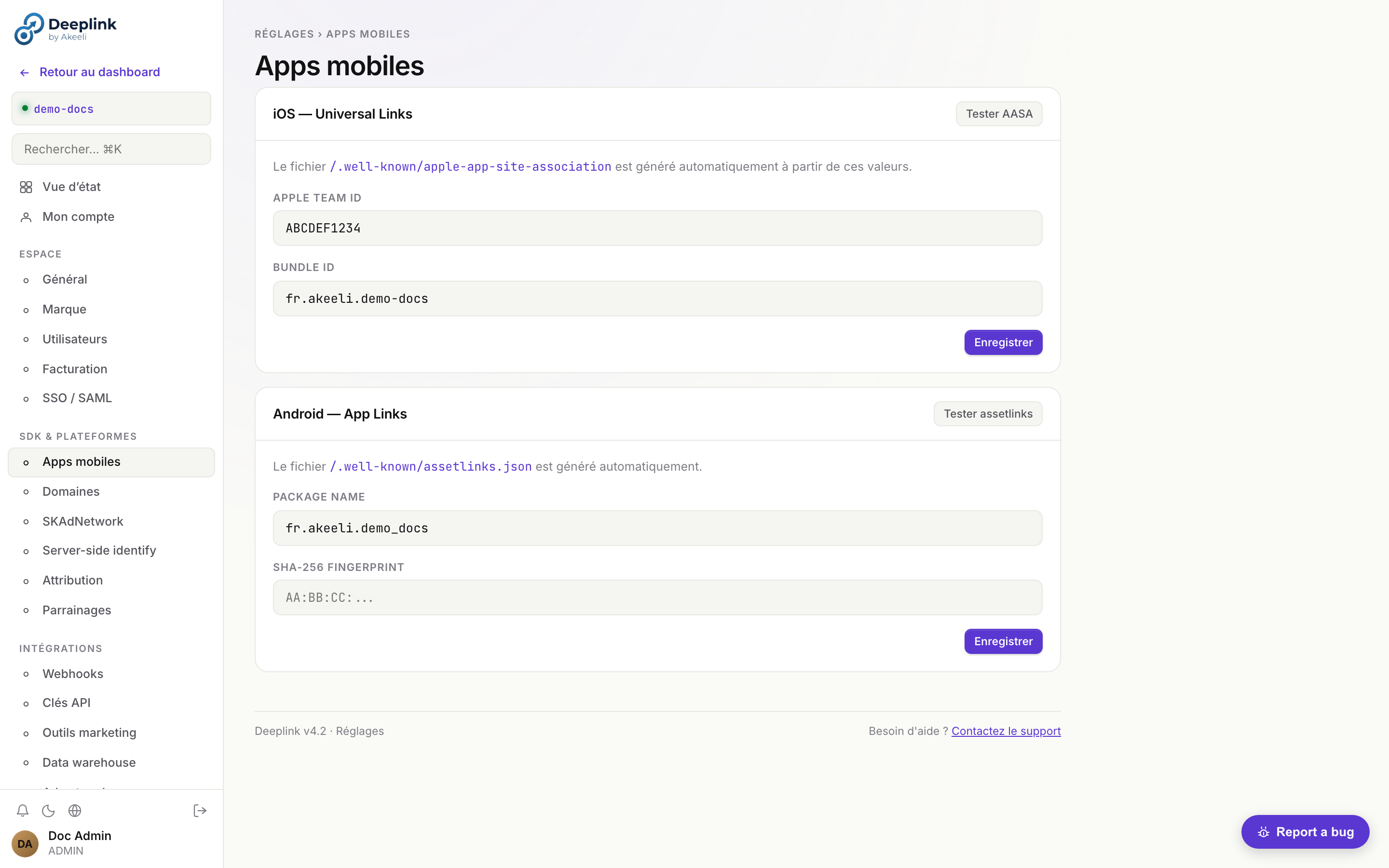
/.well-known/apple-app-site-association et /.well-known/assetlinks.json à partir de ces valeurs.Step 1 — Configure the Server
# .env
APPLE_TEAM_ID=AB12CD34EF       # 10-char Team ID from developer.apple.com
APPLE_BUNDLE_ID=com.yourco.app  # Must match your Xcode bundle ID exactly
The server will automatically serve the AASA file at /.well-known/apple-app-site-association.
Step 2 — Enable in Xcode
- Open your project in Xcode → select the target → Signing & Capabilities
- Click + Capability → select Associated Domains
-
Add your domain with the
applinks:prefix:applinks:links.yourapp.comNo
https://, no trailing slash, no wildcard (*). Just the hostname. - Build and install on a device (Simulator does not support Universal Links)
Step 3 — Verify the AASA File
# Check the file is accessible and valid JSON
curl https://links.yourapp.com/.well-known/apple-app-site-association | jq .

# Use Apple's AASA validator
open https://branch.io/resources/aasa-validator/Step 4 — Handle Universal Links in Your App
// SwiftUI
.onContinueUserActivity(NSUserActivityTypeBrowsingWeb) { activity in
    guard let url = activity.webpageURL else { return }
    Task {
        if case .matched(let data) = await DeepLinkSDK.shared.handleOpenURL(url) {
            router.navigate(to: data.customData)
        }
    }
}
App Links (Android)
App Links allow Android to open your app directly from an HTTP URL, without showing a disambiguation dialog.
Step 1 — Configure the Server
# .env
ANDROID_PACKAGE=com.yourco.app
ANDROID_SHA256=AA:BB:CC:DD:...  # SHA-256 of your signing certificate

# Get your SHA-256 fingerprint:
keytool -list -v -keystore release.jks | grep SHA256
Step 2 — Configure AndroidManifest.xml
<activity android:name=".MainActivity">
  <intent-filter android:autoVerify="true">
    <action android:name="android.intent.action.VIEW" />
    <category android:name="android.intent.category.DEFAULT" />
    <category android:name="android.intent.category.BROWSABLE" />
    <data
      android:scheme="https"
      android:host="links.yourapp.com" />
  </intent-filter>
</activity>
Step 3 — Verify the assetlinks.json File
# Check the file
curl https://links.yourapp.com/.well-known/assetlinks.json | jq .

# Use Google's Digital Asset Links validator
open https://developers.google.com/digital-asset-links/tools/generator
Step 4 — Handle App Links in Your App
// Handle both cold start and foreground intent
override fun onCreate(savedInstanceState: Bundle?) {
    super.onCreate(savedInstanceState)
    intent.data?.let { handleDeepLink(it) }
}

override fun onNewIntent(intent: Intent) {
    super.onNewIntent(intent)
    intent.data?.let { handleDeepLink(it) }
}

private fun handleDeepLink(uri: Uri) = lifecycleScope.launch {
    val result = DeepLinkSDK.handleOpenUrl(uri)
    if (result is DeepLinkResult.Matched) navigate(result.data)
}
Webhooks (HTTP / Pub/Sub)
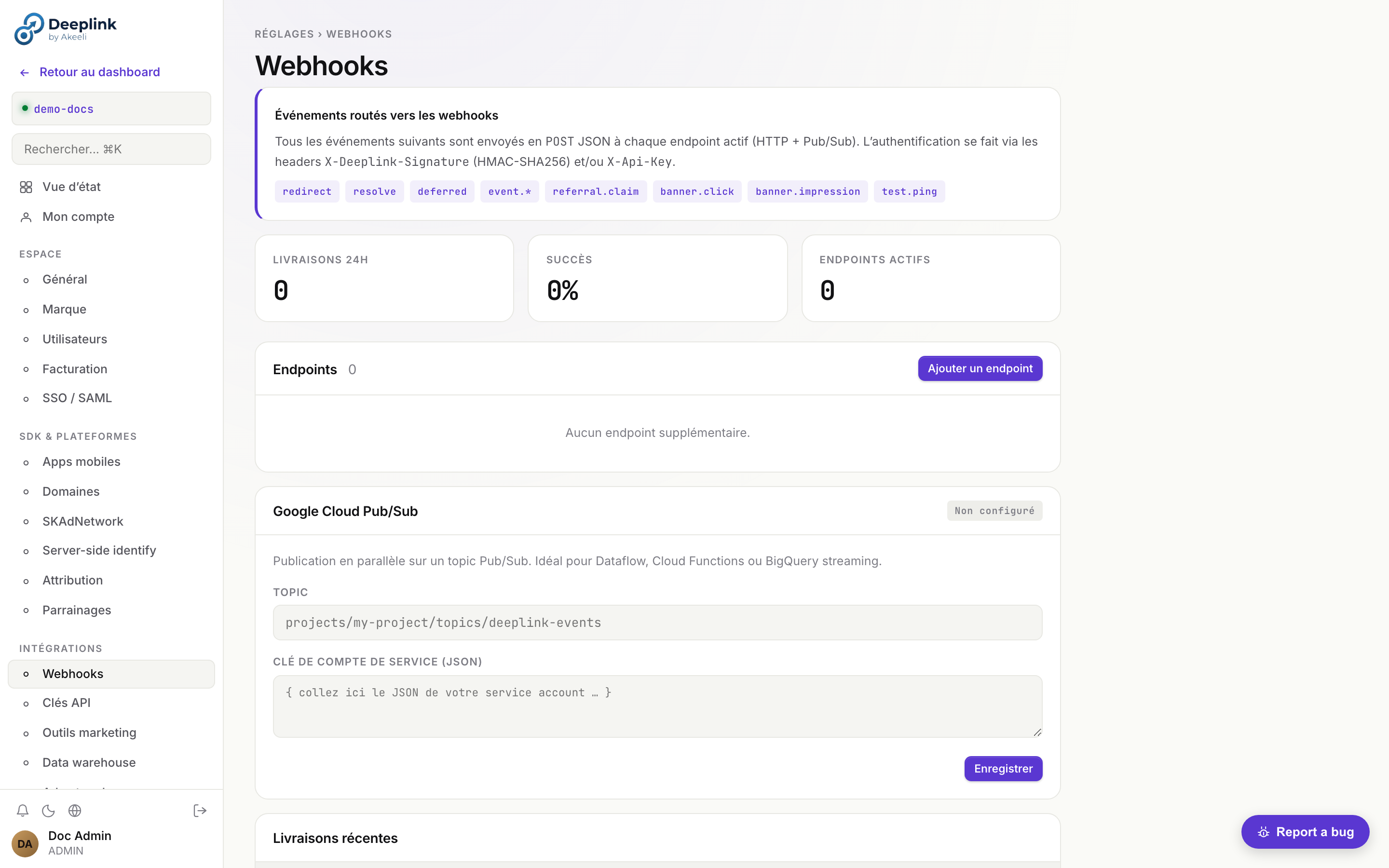
DeepLink Server can send real-time HTTP POST notifications or publish to Google Cloud Pub/Sub when events occur. You can configure multiple webhook endpoints per tenant, each with its own URL, authentication, and event filter.
Endpoint Properties
Each webhook endpoint supports the following fields:
| Field | Type | Description |
|---|---|---|
name | string | A friendly label for the endpoint (e.g. "Slack alerts") |
url | string | The HTTPS URL that will receive POST requests |
hmac_secret | string | Shared secret used to sign payloads with HMAC-SHA256 |
api_key | string | Static key sent in the X-Api-Key header for simple auth |
events | string[] | Array of event types to subscribe to (empty = all events) |
active | boolean | Pause or resume delivery without deleting the endpoint |
Routed Events
The following event types can be routed to webhook endpoints:
redirect resolve deferred event.* referral.claim banner.click banner.impression test.ping
Create an Endpoint
# Create a new webhook endpoint
curl -X POST /api/v1/webhooks/endpoints \
  -H "X-Api-Key: your-key" \
  -H "Content-Type: application/json" \
  -d '{
    "name":        "CRM sync",
    "url":         "https://crm.example.com/hooks/deeplink",
    "hmac_secret": "whsec_a1b2c3d4...",
    "api_key":     "sk-crm-xyz",
    "events":      ["redirect", "event.*", "referral.claim"],
    "active":      true
  }'
Manage Endpoints
# List all endpoints
curl /api/v1/webhooks/endpoints -H "X-Api-Key: your-key"

# Update an endpoint (e.g. pause delivery)
curl -X PATCH /api/v1/webhooks/endpoints/ep_abc123 \
  -H "X-Api-Key: your-key" \
  -d '{ "active": false }'

# Delete an endpoint
curl -X DELETE /api/v1/webhooks/endpoints/ep_abc123 \
  -H "X-Api-Key: your-key"
Authentication Headers
Every webhook delivery includes two authentication headers:
-
X-Deeplink-Signature — HMAC-SHA256 of the raw request body, computed with the endpoint's
hmac_secret. The value is prefixed withsha256=.X-Deeplink-Signature: sha256=e3b0c44298fc1c14... -
X-Api-Key — the static API key configured on the endpoint, sent as-is.
X-Api-Key: sk-crm-xyz
HMAC Signature Verification
// Node.js verification
const crypto = require('crypto');

function verifyWebhook(rawBody, signature, secret) {
  const expected = crypto
    .createHmac('sha256', secret)
    .update(rawBody)
    .digest('hex');
  const actual = signature.replace('sha256=', '');
  return crypto.timingSafeEqual(
    Buffer.from(expected, 'hex'),
    Buffer.from(actual, 'hex')
  );
}

// Express route handler
app.post('/hooks/deeplink', express.raw({ type: '*/*' }), (req, res) => {
  const sig = req.headers['x-deeplink-signature'];
  if (!verifyWebhook(req.body, sig, process.env.WEBHOOK_SECRET)) {
    return res.status(401).send('Invalid signature');
  }
  const event = JSON.parse(req.body);
  // Process event...
  res.sendStatus(200);
});
Webhook Payload
{
  "event":      "redirect",
  "tenant":     "my-company",
  "timestamp":  "2026-04-11T10:00:00Z",
  "endpoint_id": "ep_abc123",
  "data": {
    "slug":     "summer-sale",
    "platform": "ios",
    "country":  "FR",
    "matched":  false
  }
}
Google Cloud Pub/Sub Delivery
As an alternative to HTTP, you can route events to a Pub/Sub topic for parallel, high-throughput processing.
# Create a Pub/Sub endpoint
curl -X POST /api/v1/webhooks/endpoints \
  -H "X-Api-Key: your-key" \
  -d '{
    "name":    "Analytics pipeline",
    "type":    "pubsub",
    "topic":   "projects/my-gcp-project/topics/deeplink-events",
    "service_account_json": "{ ... }",
    "events":  ["redirect", "resolve", "deferred"],
    "active":  true
}'roles/pubsub.publisher role on the target topic. Each event is published as a separate message with event type and tenant ID in Pub/Sub attributes.Test Ping
Send a test.ping event to a specific endpoint (or all active endpoints) to verify connectivity.
# Send test ping to a specific endpoint
curl -X POST /api/v1/webhooks/test \
  -H "X-Api-Key: your-key" \
  -d '{ "endpoint_id": "ep_abc123" }'

# Send test ping to all active endpoints
curl -X POST /api/v1/webhooks/test \
  -H "X-Api-Key: your-key"
Smart Banner
The Smart Banner shows mobile web visitors an "Open in App" prompt, driving them to install or open your app with the correct deep link context.
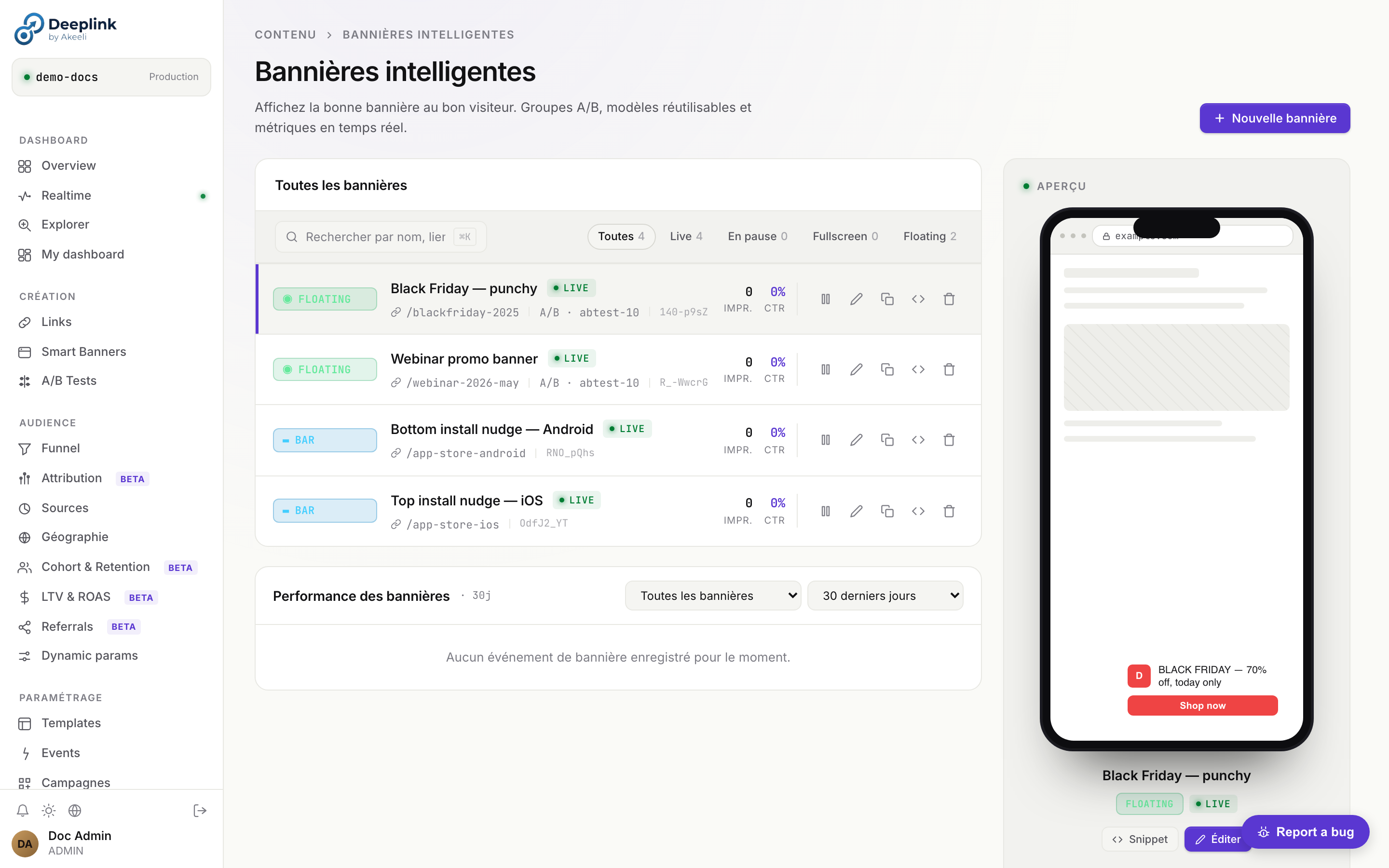
bar, floating, fullscreen, interstitial) et un targeting.Embed the Script
<!-- Add to <head> on every page of your web site -->
<script
  src="https://links.yourapp.com/api/v1/banner/your-tenant/banner.js"
  data-position="top"
  data-dismiss="session"
></script>
Per-Page Configuration
<!-- On a product page, pass the specific link slug -->
<script
  src="https://links.yourapp.com/api/v1/banner/your-tenant/banner.js"
  data-link-slug="summer-sale"
  data-position="bottom"
  data-dismiss="permanent"
  data-theme="dark"
></script>
JavaScript API
// Control the banner programmatically
window.DeepLinkBanner.show();
window.DeepLinkBanner.hide();
window.DeepLinkBanner.setLink('product-42');

// Listen to events
window.DeepLinkBanner.on('open', () => console.log('User tapped Open in App'));
window.DeepLinkBanner.on('dismiss', () => console.log('Banner dismissed'));
A/B Testing
Use the custom_data field and analytics query engine to implement A/B tests on deep link campaigns.
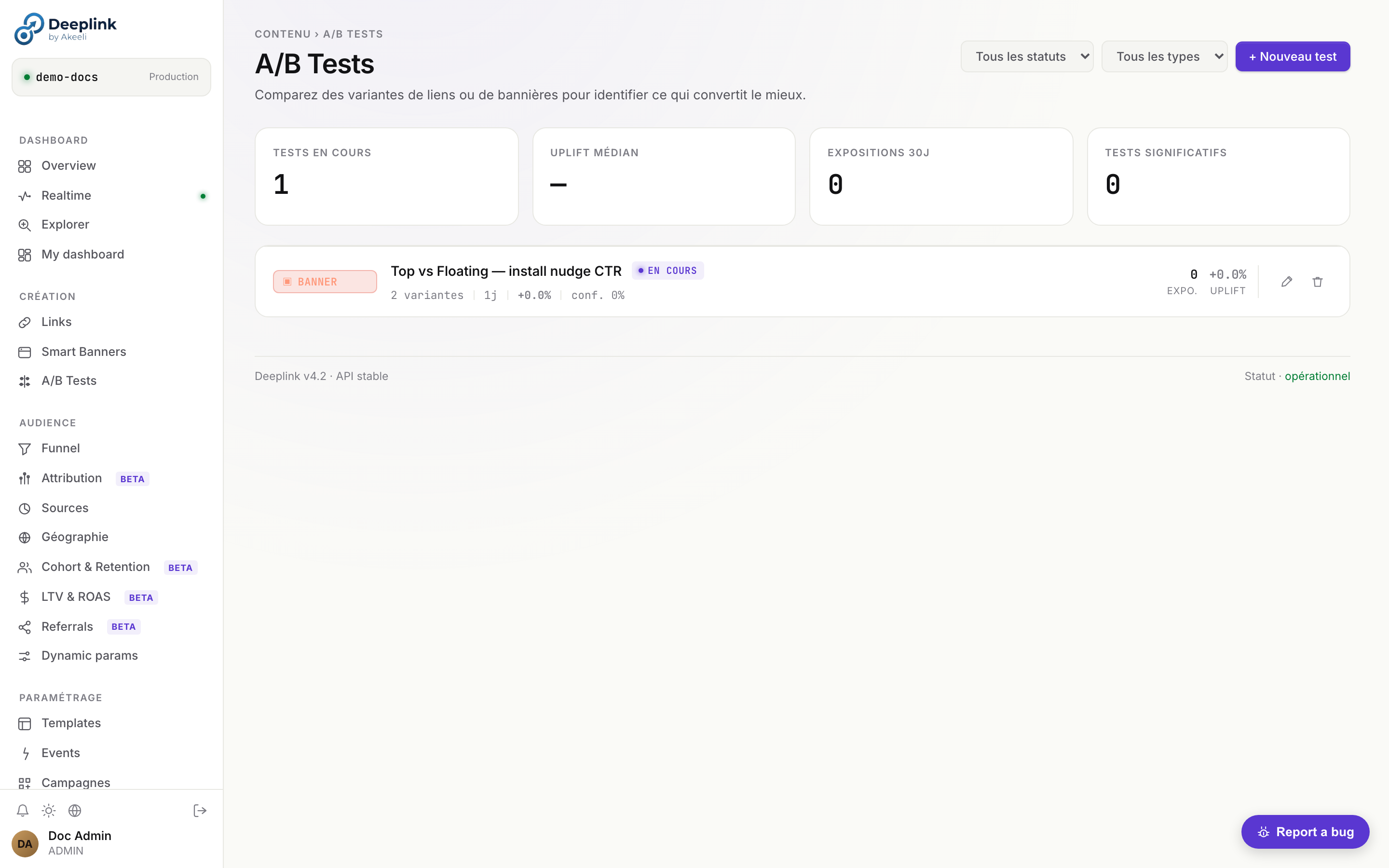
Create Variants
# Variant A — original
curl -X POST /api/v1/links -d '{
  "title": "Summer Sale — A",
  "campaign": "summer-ab",
  "source": "email",
  "custom_data": { "variant": "A", "cta": "Shop Now" },
  "web_url": "https://example.com/sale"
}'

# Variant B — control
curl -X POST /api/v1/links -d '{
  "title": "Summer Sale — B",
  "campaign": "summer-ab",
  "source": "email",
  "custom_data": { "variant": "B", "cta": "Get 20% Off" },
  "web_url": "https://example.com/sale?v=b"
}'
Analyze Results
# Compare installs by campaign source
curl -X POST /api/v1/analytics/query \
  -d '{
    "filters": { "campaign": "summer-ab" },
    "group_by": ["slug", "title"],
    "metrics": ["clicks", "installs", "conversion_rate"],
    "order_by": "conversion_rate",
    "order": "desc"
  }'
Statistical Significance
Custom Events
Track meaningful actions in your app and attribute them to the deep link that drove the user.
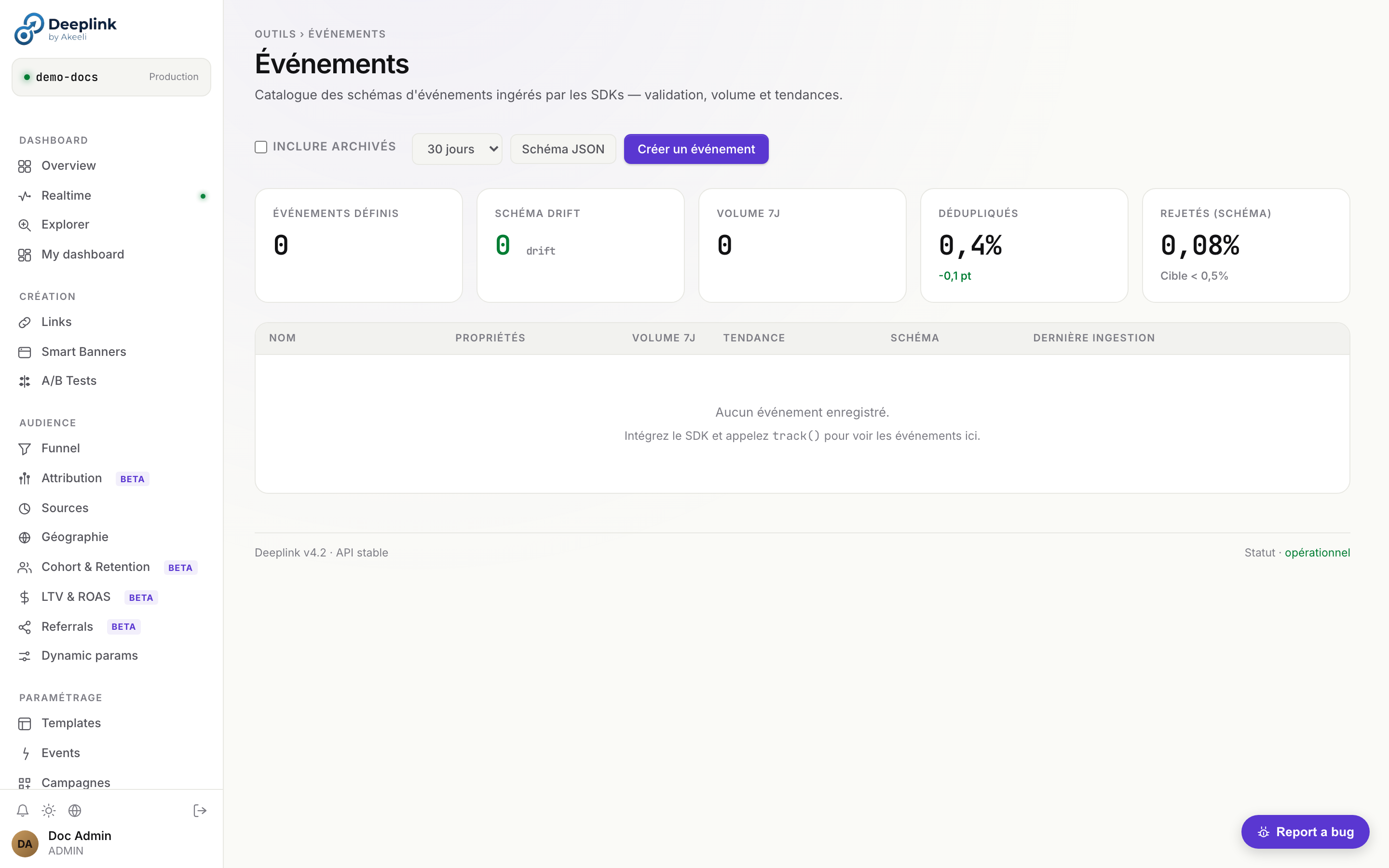
track() par nom, propriétés et lien attribué.Common Event Patterns
Purchase
await sdk.trackEvent({
  name: 'purchase',
  linkSlug: data.slug,
  properties: {
    product_id: '42',
    category: 'electronics',
  },
  revenue: 99.99,
  currency: 'EUR',
});
Sign Up
await sdk.trackEvent({
  name: 'signup',
  linkSlug: data.slug,
  properties: {
    method: 'email',
    plan: 'free',
  },
});
Level Complete
await sdk.trackEvent({
  name: 'level_complete',
  linkSlug: data.slug,
  properties: {
    level: '5',
    score: '1420',
    time_s: '142',
  },
});
Subscription
await sdk.trackEvent({
  name: 'subscribe',
  linkSlug: data.slug,
  properties: {
    plan: 'pro',
    billing: 'annual',
  },
  revenue: 119.88,
  currency: 'USD',
});
View Event Funnel
# See the full funnel for a campaign
curl "/api/v1/funnel?days=30&link_slug=summer-sale"

# Query event details
curl -X POST /api/v1/analytics/query -d '{
  "filters": { "campaign": "summer_2025" },
  "group_by": ["date"],
  "metrics": ["clicks", "installs"]
}'
Data Export (GCS / S3)
Export event data to your own data warehouse for long-term storage and custom analytics. DeepLink Server supports BigQuery streaming, Google Cloud Storage batch export, and Amazon S3 batch export.
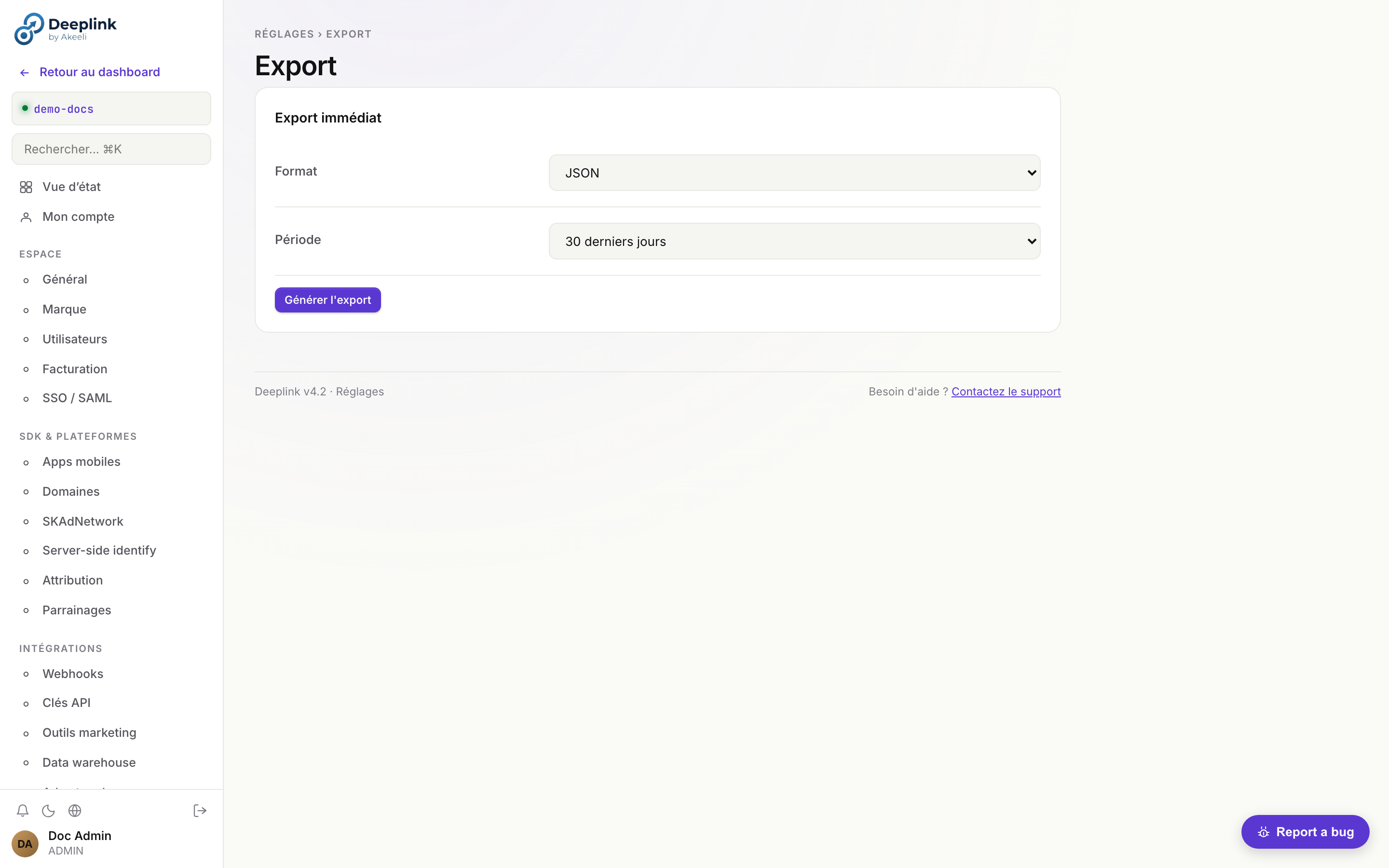
Supported Destinations
BigQuery real-time
Events are streamed in real-time via the BigQuery insertAll API. Rows appear within seconds of the event occurring.
Google Cloud Storage batch
Events are batched into newline-delimited JSON files and uploaded to a GCS bucket on a configurable schedule (hourly or daily).
Amazon S3 batch
Events are batched into newline-delimited JSON files and uploaded to an S3 bucket on a configurable schedule (hourly or daily).
Configuration
Navigate to Settings > Data warehouse in the dashboard, or use the API:
# Get current export configuration
curl /api/v1/export/config -H "X-Api-Key: your-key"

# Configure BigQuery streaming
curl -X PUT /api/v1/export/config \
  -H "X-Api-Key: your-key" \
  -d '{
    "type":       "bigquery",
    "project_id": "my-gcp-project",
    "dataset":    "deeplink_events",
    "table":      "raw_events",
    "service_account_json": "{ ... }"
  }'

# Configure GCS batch export
curl -X PUT /api/v1/export/config \
  -H "X-Api-Key: your-key" \
  -d '{
    "type":       "gcs",
    "bucket":     "my-deeplink-exports",
    "prefix":     "events/",
    "schedule":   "hourly",
    "service_account_json": "{ ... }"
  }'

# Configure S3 batch export
curl -X PUT /api/v1/export/config \
  -H "X-Api-Key: your-key" \
  -d '{
    "type":              "s3",
    "bucket":            "my-deeplink-exports",
    "prefix":            "events/",
    "region":            "eu-west-1",
    "schedule":          "daily",
    "aws_access_key_id": "AKIA...",
    "aws_secret_access_key": "..."
  }'
Test Connection
# Verify credentials and write permissions
curl -X POST /api/v1/export/test -H "X-Api-Key: your-key"
Manual Export
# Trigger an immediate export run (batch destinations only)
curl -X POST /api/v1/export/run \
  -H "X-Api-Key: your-key" \
  -d '{
    "from": "2026-04-01T00:00:00Z",
    "to":   "2026-04-18T00:00:00Z"
}'Settings & Configuration
Manage your account, team access, branding, API keys, and domain configuration from the Settings page in the dashboard.
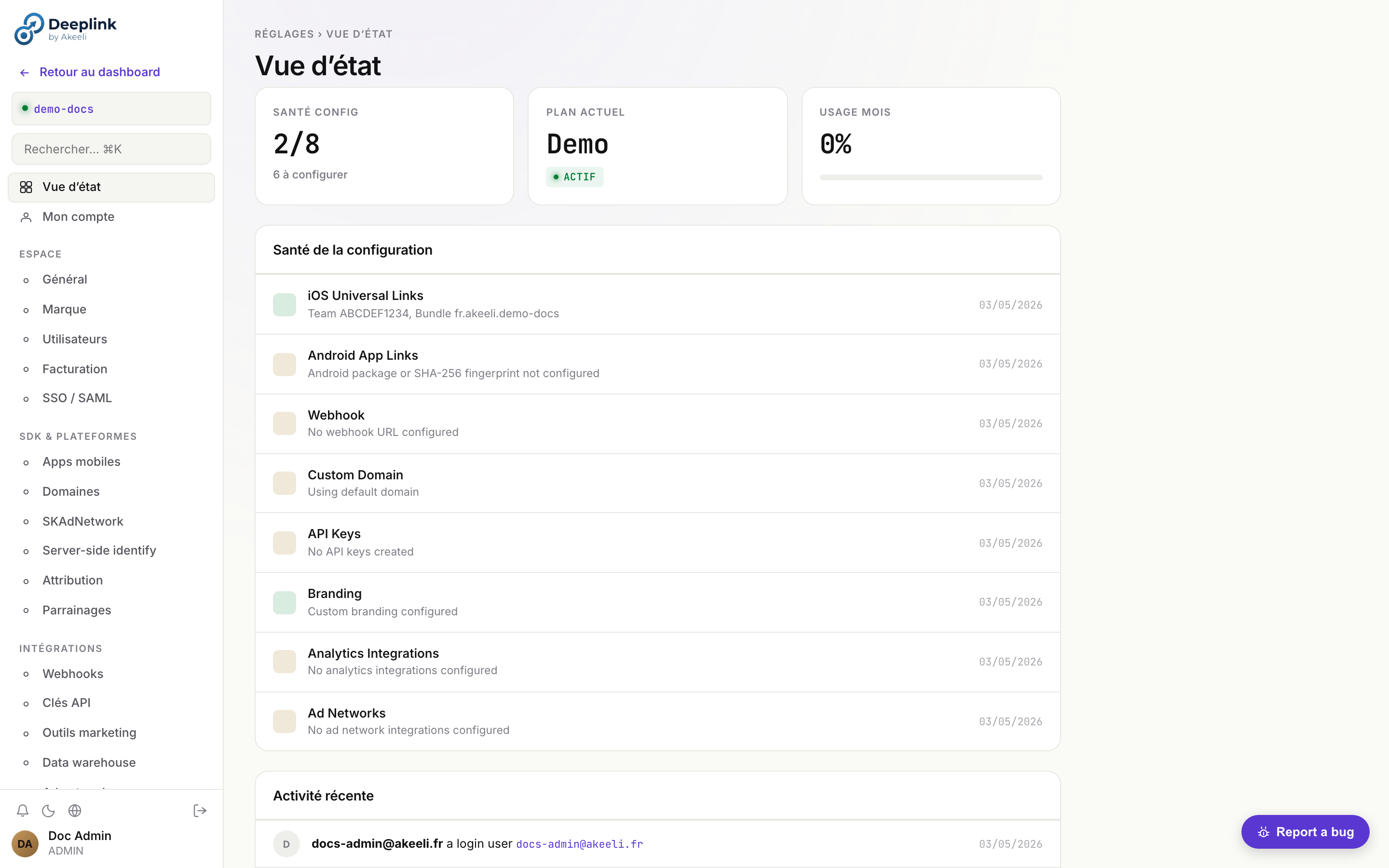
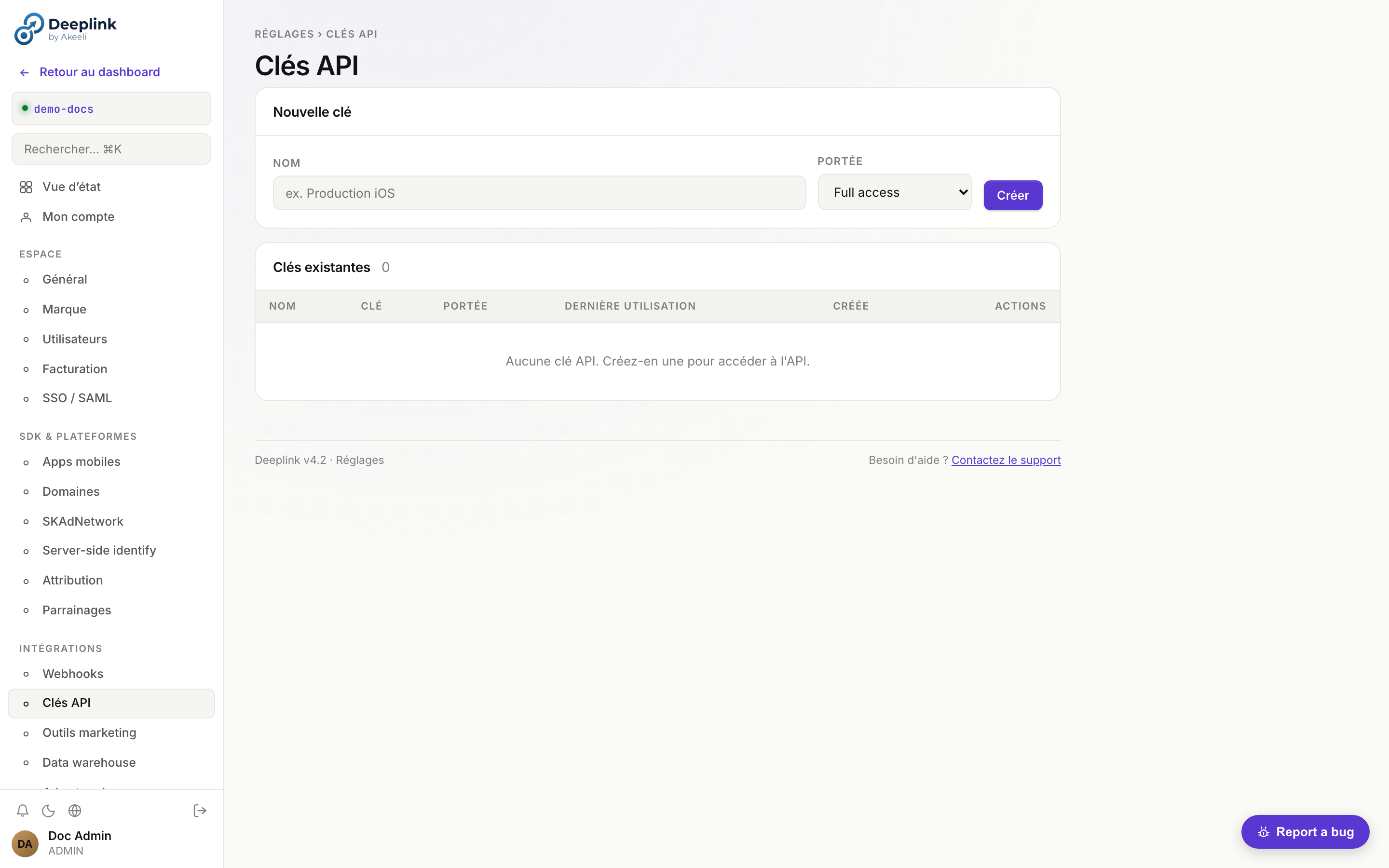
dlk_* à scope tenant, rotation à la volée, révocation immédiate.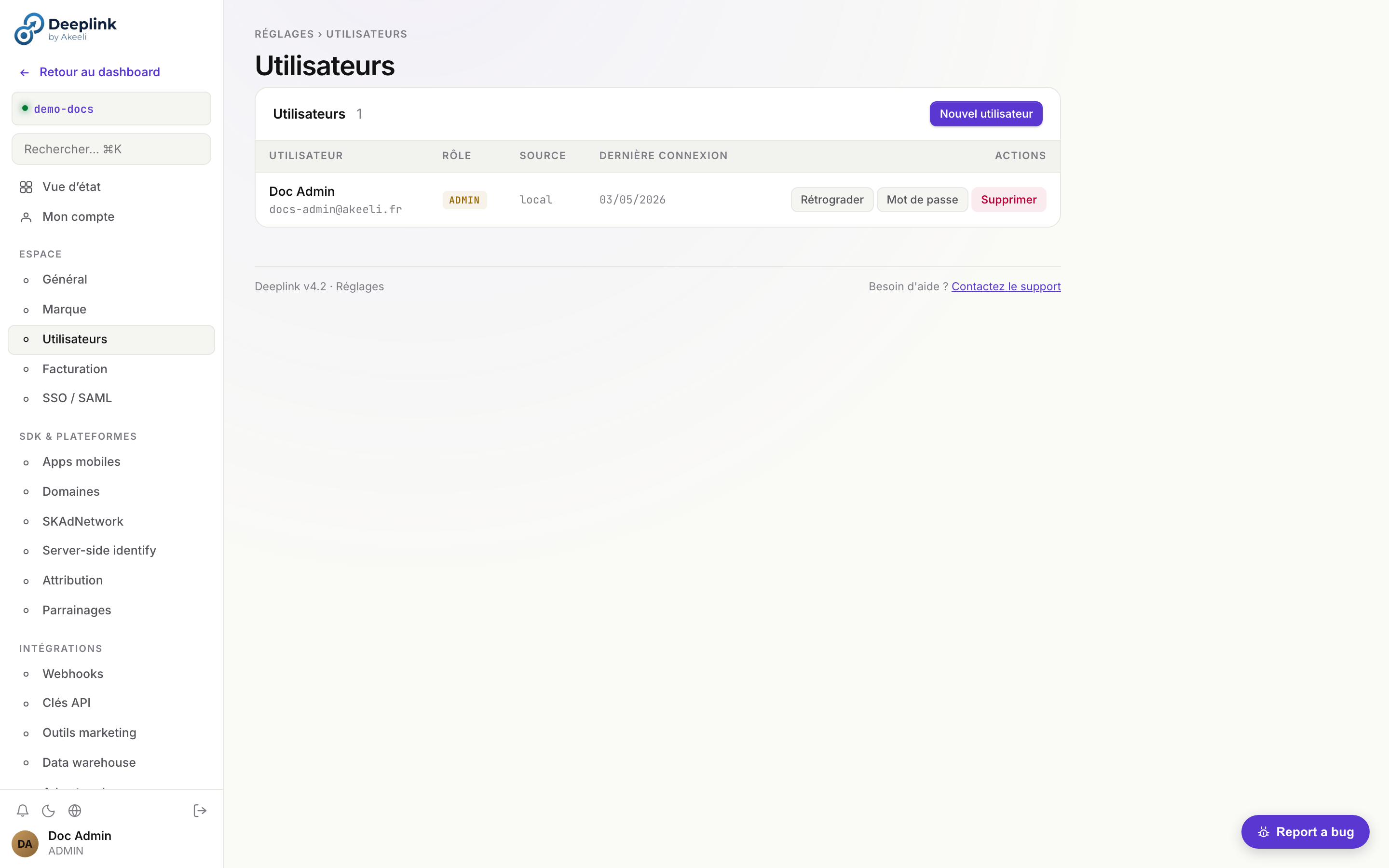
Account
Update your profile information, change your password, and enable two-factor authentication (2FA) via TOTP.
- Navigate to Settings > Account
- Update your display name and email address
- To enable 2FA, click Enable two-factor authentication, scan the QR code with your authenticator app, and enter the verification code
SSO / SAML
Connect your identity provider (Okta, Azure AD, or any SAML 2.0 IdP) for single sign-on.
- Navigate to Settings > SSO/SAML
-
Enter your IdP's Metadata URL (e.g.
https://your-org.okta.com/app/xxx/sso/saml/metadata) -
Copy the following values into your IdP configuration:
# Entity ID (Audience URI) https://links.yourapp.com/auth/saml/metadata # ACS URL (Reply URL) https://links.yourapp.com/auth/saml/acs - Click Test connection to verify the SAML handshake before enforcing SSO
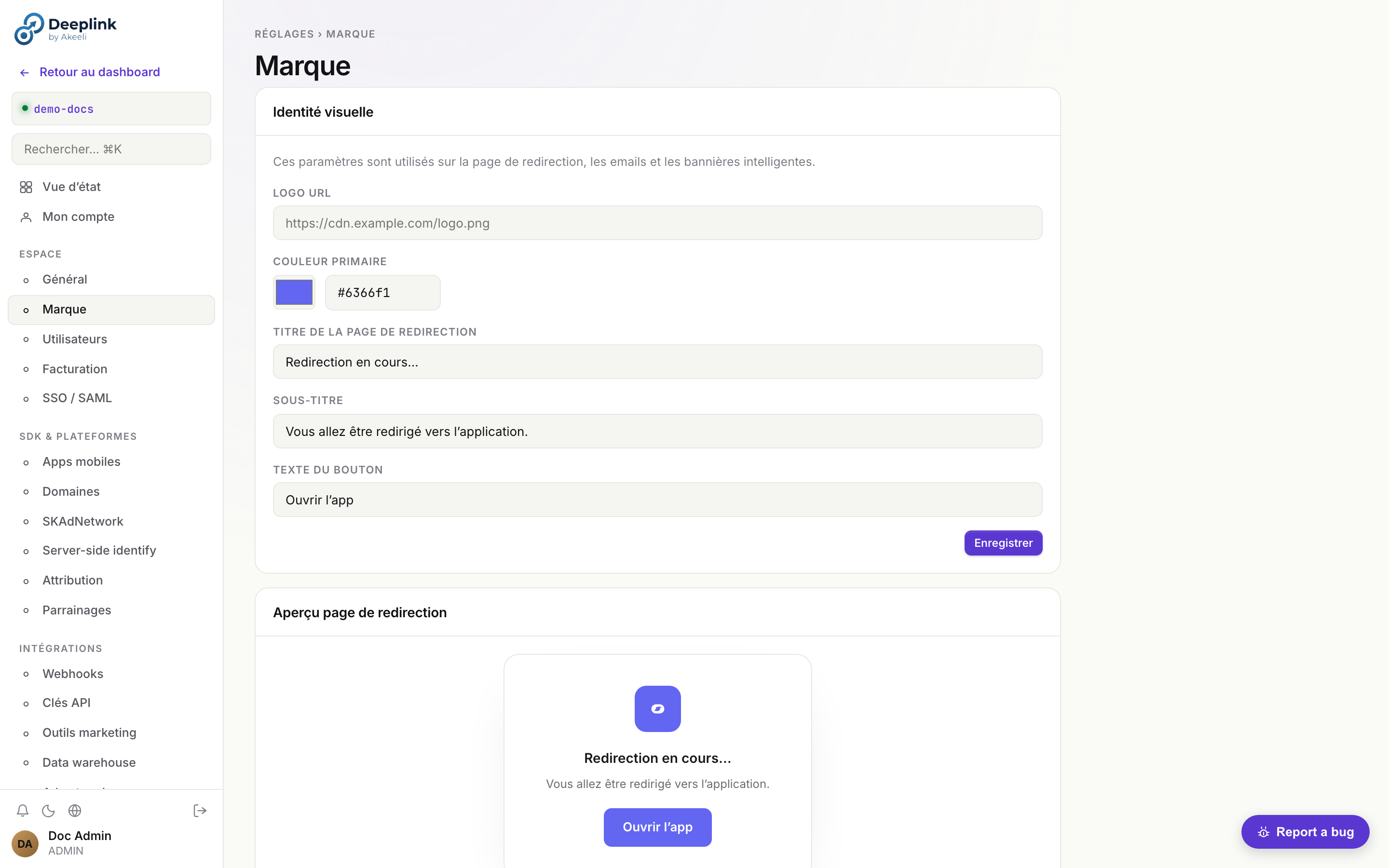
Brand
Customize the visual identity used on the redirect page, transactional emails, and smart banners.
# Update branding via API
curl -X PATCH /api/v1/tenants/current \
  -H "X-Api-Key: your-key" \
  -d '{
    "brand": {
      "logo_url":     "https://cdn.example.com/logo.svg",
      "accent_color": "#4F46E5"
    }
  }'
The logo_url is displayed on the redirect interstitial page and in email templates. The accent_color is used for buttons, links, and the smart banner background.
API Keys
Create, rotate, and revoke API keys for programmatic access.
- Navigate to Settings > API Keys
- Click Create key and give it a descriptive name (e.g. "CI/CD pipeline")
- Copy the key immediately -- it is only shown once
- To rotate a key, click Rotate. The old key remains valid for 24 hours to allow a graceful migration
- To revoke a key, click Revoke. The key is invalidated immediately
Domains (Custom CNAME)
Use your own domain (e.g. links.yourapp.com) instead of the default subdomain.
- Navigate to Settings > Domains
-
Add your custom domain and create a CNAME record in your DNS provider:
links.yourapp.com. CNAME ingress.deeplink-server.com. - Click Verify to confirm DNS propagation. A TLS certificate is provisioned automatically via Let's Encrypt
Setup détaillé — full walkthrough
- 1. Plan check — custom domain requires Pro or Enterprise plan
- 2. Add domain — Settings → Domains → "Add custom domain" → enter
links.yourapp.com→ DeepLink generates a verification token - 3. Two DNS records to create:
# 1. CNAME for traffic routing links.yourapp.com. CNAME ingress.deeplink-server.com. # 2. TXT for ownership verification _deeplink-verify.links.yourapp.com. TXT "dlk-verify=abc123def456..." - 4. Verify — click "Verify" in dashboard. DeepLink polls DNS every 30s for up to 10 minutes. Status shifts:
pending → dns_verified → ssl_issuing → active - 5. SSL provisioning — automatic via Let's Encrypt ACME HTTP-01 challenge. Cert renewed 30 days before expiry. Visible in dashboard with expiry date
- 6. AASA / assetlinks.json — automatically served on the new domain at
/.well-known/apple-app-site-associationand/.well-known/assetlinks.json
src/services/domain-resolver.js reads req.headers.host, looks up tenants WHERE custom_domain = $1, caches result 60s in LRU (max 500 entries), injects req.tenant_id. Cache miss penalty: 1 DB query. Negative cache TTL: 30s. Manual flush: super-admin POST /api/v1/admin/cache/domain-resolver/flush.tenants.custom_domain). Multi-domain support via dedicated table = 🔮 planned (STORY-29).Mobile Apps
Register your mobile apps so the server can generate the correct platform association files.
- Navigate to Settings > Mobile Apps
-
iOS — enter your Apple Team ID and Bundle ID. The server generates the
apple-app-site-association(AASA) file automatically at:https://links.yourapp.com/.well-known/apple-app-site-association -
Android — enter your package name and SHA-256 signing certificate fingerprint. The server generates the
assetlinks.jsonfile at:https://links.yourapp.com/.well-known/assetlinks.json
Fraud Detection
DeepLink Server includes a multi-layer fraud-detection engine. Each click receives a fraud_score (0-100) computed at insertion by src/services/fraud-detector.js, a fraud_flags JSON array listing triggered rules, and a suspicious=true boolean if the score crosses the tenant threshold.
Scoring rules
| Rule | Score | Trigger |
|---|---|---|
| Headless UA | +30 | UA matches HeadlessChrome, PhantomJS, Puppeteer |
| Datacenter IP | +25 | IP belongs to known datacenter range (GCP/AWS/Azure/DO whitelist, MaxMind ASN) |
| Velocity burst | +20 | > 10 clicks from same ip_hash in < 60 s |
| TTD = 0 | +15 | time-to-deeplink (click → app_open) = 0 ms (humanly impossible) |
| Missing referer | +10 | referer empty and platform != ios|android (suspicious direct web) |
Thresholds
< 40— legit, included in all KPIs40-69— flagged (visible in dashboard, not auto-excluded)≥ 70—suspicious=true(excluded from default KPIs, recoverable via filter)
tenant_settings.fraud_threshold_suspicious (default 70). Use lower values for stricter filtering, higher for relaxed.Click row example
{
  "id": "clk_abc",
  "link_id": "summer-sale",
  "platform": "android",
  "fraud_score": 45,
  "fraud_flags": ["datacenter_ip", "missing_referer"],
  "suspicious": false,
  "ip_hash": "a3f8...c2"
}
IP Deduplication
Clicks from the same IP within a short window are deduplicated. The ip_hash (SHA-256 of the IP) is stored per click — never the raw IP address.
Bot Filtering
The server filters known bot user agents using a regularly-updated list. Filtered clicks are not counted in analytics.
Click Cap Enforcement
Use max_clicks on links to limit exposure on promotional campaigns. Once the cap is hit, the link returns 410 Gone.
Targeting Rules
Use targeting_rules.allow_countries and allow_devices to restrict links to specific audiences and prevent off-target click fraud.
Fingerprint Analysis
The deferred match uses probabilistic fingerprinting (SHA-256 of IP + UA + date). A 2-day window limits replay attacks while handling timezone edge cases.
Audit Log Monitoring
# Look for suspicious patterns: many deletes, rapid link creation
curl "/api/v1/audit?action=delete&limit=50"

# Check for high-volume clicks from single IPs
curl -X POST /api/v1/analytics/query -d '{
  "filters": { "matched": 0 },
  "group_by": ["country", "platform"],
  "metrics": ["clicks", "unique_ips"],
  "order_by": "clicks",
  "order": "desc",
  "limit": 20
}'
CLI Reference — deeplink command-line tool
Node.js CLI to automate common operations from terminal/CI: rotate API keys, batch-create links, export audit, run scheduled reports. Critical for CI/CD (e.g. create a deeplink at every mobile release).
Installation (3 methods)
# Method 1 — npm global (production)
npm install -g @deeplink/cli
deeplink --version

# Method 2 — npx ad-hoc (no install)
npx @deeplink/cli links list

# Method 3 — checkout repo + local link (dev)
git clone https://github.com/deeplink/deeplink-server
cd deeplink-server
npm link cli/   # creates global binary pointing at cli/deeplink.js
Configuration (3 sources, ordered by priority)
- CLI flags (max priority) —
deeplink --api-url=https://api.deeplink.com --api-key=dlk_xxx --tenant=acme links list - Environment variables —
DEEPLINK_API_URL,DEEPLINK_API_KEY,DEEPLINK_TENANT - Config file —
~/.deeplinkrc.jsonor~/.deeplink/config.json:
Switch profile:{ "default": "prod", "profiles": { "prod": { "api_url": "https://api.deeplink.com", "api_key": "dlk_live_...", "tenant": "acme" }, "staging": { "api_url": "https://api-stg.deeplink.com", "api_key": "dlk_test_..." } }}deeplink --profile=staging links list
Auth alternative — interactive login
deeplink login
# → opens browser at https://app.deeplink.com/cli-auth?token=<one-time>
# → user logs in + accepts, server returns a dedicated API key "CLI - <hostname>"
# → CLI persists token in ~/.deeplink/credentials (chmod 600)
Commands
| Command | Description | Example |
|---|---|---|
links list | List tenant's links | --limit=50 --search="campaign-q2" |
links create | Create a link | --url=… --campaign=q2 --tags=facebook,paid |
links update <slug> | Update a link | --campaign=q3 --active=false |
links delete <slug> | Delete a link (interactive confirm) | |
banners list/create/update/delete | Banner CRUD | |
ab-tests list/create/promote | A/B + variant promotion | promote ab_42 --variant=B |
tenants list (super-admin) | All tenants | --export=csv > tenants.csv |
users list/invite | Tenant users + invitations | invite alice@acme.com --role=editor |
stats | KPI summary last 30d | --period=7d --format=json |
audit | Tail audit log | --filter=action:link.created --since=24h |
apikeys list/create/revoke | API key management | create --label="CI prod" --scope=write:links |
webhooks list/replay/test | DLQ + replay | replay wd_abc123 |
reports run <template_id> | Run + send a scheduled report | |
onboarding status | Onboarding funnel stats | |
settings get/set | Read/write tenant setting | set support_email ops@acme.com |
diagnostic | Self-test (auth + connectivity + permissions) |
Output formats
--format=table(default, ASCII pretty-print) — human--format=json— pipe-friendly,| jq--format=csv— spreadsheet--format=ndjson— line-by-line streaming (large lists)
CI/CD use case — GitHub Actions
# .github/workflows/release.yml — create deeplink at every mobile release
- name: Create release deeplink
  run: |
    npx @deeplink/cli links create \
      --url="https://app.acme.com/release/${{ github.ref_name }}" \
      --campaign="release-${{ github.ref_name }}" \
      --tags="release,${{ github.ref_name }}" \
      --format=json > deeplink.json
  env:
    DEEPLINK_API_KEY: ${{ secrets.DEEPLINK_API_KEY }}
    DEEPLINK_TENANT: acme
Source: cli/deeplink.js (~600 lines) + cli/lib/ (commands, auth, output formatters).
Settings reference — 25 sous-pages organisées en 8 groupes
Référence complète des Settings après refacto v2 (ex-ADM-MIG). 25
sous-pages réparties en 8 groupes thématiques. Visibilité conditionnée
par le rôle (admin ou super-admin). Source :
SETTINGS_NAV dans public/js/dashboard.js:8962.
| Groupe | Sous-page | ID | Rôle | Contenu |
|---|---|---|---|---|
| Compte | ||||
| Compte | Mon compte | profile | tous | Email, nom, mot de passe, 2FA TOTP, langue, fuseau, déconnexion sessions actives. |
| Compte | SSO / SAML | sso | tous | OIDC issuer, SAML metadata URL/Entity ID, ACS callback. Cf. SSO. |
| Espace | ||||
| Espace | Général | general | tous | Tenant slug, contact_email, fuseau horaire, IP allowlist, feature flags AI/ML. |
| Espace | Marque | brand | tous | Logo URL, couleur primaire (utilisée sur redirect page, emails, banners). |
| Espace | Utilisateurs | members | admin | Liste, invitations, rôles (admin / member / viewer), désactivation. |
| Espace | Facturation | billing | tous | Plan, prochaine facture, lien Stripe Customer Portal (cf. PROD-001), historique invoices. |
| Espace | Rapports planifiés | scheduled-reports | tous | Liste reports cron + Slack/email destination + cadence. |
| Développeur | ||||
| Développeur | Clés API | apikeys | tous | Génération dlk_*, révocation, scopes. |
| Développeur | Webhooks | webhooks | tous | Endpoints, HMAC secrets, event filters, deliveries log + replay. |
| Développeur | Domaines | domains | tous | Custom domain (CNAME → DeepLink), TLS auto via Let's Encrypt (cf. ROAD-G4-02). |
| Développeur | Apps mobiles | mobile | tous | Apple Team ID + Bundle ID, Android Package + SHA-256. Sert AASA + assetlinks. |
| Développeur | SKAdNetwork | skan | tous | Conversion value table, postback URLs, MMP receiver config. |
| Développeur | Server-side identify | identify | admin | Backfill identity côté serveur (POST /api/v1/identity). |
| Développeur | Attribution | attribution-pro | admin | Modèle (last/first/linear/position/time-decay), window (jours), allowed sources. |
| Intégrations | ||||
| Intégrations | Analytics | analytics | tous | Segment, Amplitude, Mixpanel API keys + forwarding ON/OFF. |
| Intégrations | Data warehouse | warehouse | tous | BigQuery dataset + service account JSON, Snowflake (DEF), GCS export. |
| Intégrations | Ad networks | adnetworks | tous | Meta CAPI, Google Ads, TikTok Events API — OAuth flow + cost sync. |
| Intégrations | Messagerie | messaging | tous | Slack incoming webhook URL (notifications), Teams (futur), email SMTP override. |
| Intégrations | Payouts | payouts | admin | Stripe Connect Express (référents reçoivent les récompenses). |
| Intégrations | Parrainages | referral-settings | admin | Reward type/amount, double-sided, fraud threshold, email template. |
| Conformité | ||||
| Conformité | RGPD & rétention | privacy | tous | Data retention days (GDPR auto-purge cf. STORY-30), export/delete user data, DPA. |
| Conformité | Journal d'audit | audit | admin | Filtre + table + export. Cf. audit log investigation. |
| Conformité | IP allowlist | allowlist | tous | CIDR-aware, applique sur sessions JWT (pas API keys). |
| Conformité | Export | export | tous | Job-based export GCS/S3 (clicks, events, links, raw data). Cf. ROAD-G4-03. |
| Support | ||||
| Support | Rapports de bugs | bugs | admin | Liste bugs reportés par les users du tenant + status. |
| Plateforme (super-admin uniquement) | ||||
| Plateforme | Logs plateforme | platformlogs | super-admin | Ring buffer logs serveur (in-memory amnésie sur restart, cf. CLAUDE.md multi-instance note). |
| Danger | ||||
| Danger | Zone dangereuse | danger | admin | Suppression tenant, purge données complète (irréversible, double-confirm). |
Search bar (⌘K) en haut de la sidebar Settings filtre par nom. Vue d'état (overview) en première position regroupe les KPIs config (badges configuré / partiel / non-configuré pour chaque sous-page).
Onboarding wizard — guide pas-à-pas du nouvel intégrateur
Le wizard accompagne un nouveau tenant de la création (config mobile)
jusqu'au premier identify() appelé. Source :
src/routes/onboarding.js, table onboarding_progress.
Workflow — 6 étapes
| # | Step | Critère "fait" | Vérifiable auto via |
|---|---|---|---|
| 1 | mobile_config | Apple Team ID + Bundle ID renseignés (iOS) OU Android Package + SHA-256 (Android). | POST /api/v1/onboarding/verify → check tenants.apple_team_id non-vide ou android_package non-vide. |
| 2 | sdk_integrated | ≥1 click ou event avec sdk_instance_id non-null reçu. | Auto-coché à la 1ère requête SDK matchée. |
| 3 | first_link | ≥1 ligne dans links pour le tenant. | Auto-coché après création via dashboard ou POST /api/v1/links. |
| 4 | first_click | ≥1 ligne dans clicks. | Auto-coché à la 1ère redirection / resolve. |
| 5 | first_event | ≥1 ligne dans events. | Auto-coché au 1er POST /events/track. |
| 6 | identify_check | ≥1 event avec user_id non-null (= sdk.identify(userId) appelé). | Auto-coché. Si fail, cf. identity diagnostic. |
API endpoints
GET /api/v1/onboarding— état des 6 steps + done_count + total_steps.PATCH /api/v1/onboarding— set manuellement un step done (utile si auto-check rate). Body :{ step: "mobile_config", done: true }.POST /api/v1/onboarding/verify— re-vérifie les 6 steps en lisant la DB.
UX dashboard
┌─ Wizard d'intégration ─────────────────────────────┐
│ Étape 1/6 ✓ Configuration mobile (Bundle ID + Team)│
│ Étape 2/6 ✓ SDK intégré (clic SDK détecté)         │
│ Étape 3/6 ✓ Premier lien créé                      │
│ Étape 4/6 ✓ Premier clic enregistré                │
│ Étape 5/6 □ Premier event tracké  ← BLOCKER ICI    │
│ Étape 6/6 □ identify() appelé                      │
│                                                    │
│ ▓▓▓▓▓▓▓▓▓▓▓▓░░░░░░░░░░░░  4/6 (67%)               │
│                                                    │
│ [ Vérifier maintenant ]   [ Documentation SDK → ]  │
└────────────────────────────────────────────────────┘
Troubleshoot par étape
| Étape bloquée | Cause probable | Action |
|---|---|---|
mobile_config | Settings → Mobile apps : aucun champ rempli | Renseigner soit iOS (Team ID + Bundle ID), soit Android (Package + SHA-256). |
sdk_integrated | SDK pas appelé / configure() jamais invoqué | Cf. sdks.html + ajouter configure(serverUrl, tenantSlug) au démarrage app. |
first_link | Aucun lien créé | Dashboard → Links → "+ Nouveau lien" OU POST /api/v1/links. |
first_click | Lien créé mais aucun clic | Wire handleOpenURL(url) côté SDK + tester via Notes app iOS. |
first_event | trackEvent() jamais appelé | Ajouter sdk.trackEvent('app_opened') au launch. |
identify_check | identify() manquant après login | Hook post-login : sdk.identify(userId). Cf. identity diagnostic. |
Identity diagnostic admin
Outil admin pour résoudre les "pourquoi cet utilisateur n'est pas attribué" et autres
écarts de chaîne d'identité. Disponible uniquement pour les administrateurs (rôle admin du tenant).
Source : src/routes/identity.js.
Cas d'usage
Un utilisateur (Sarah, growth manager d'une boutique) signale : "J'ai cliqué sur la pub Facebook et installé l'app, mais je n'apparais pas comme attribuée à cette campagne dans le dashboard." L'admin doit comprendre où la chaîne click → install → identify s'est cassée.
Diagnostic temps réel
3 health checks sur le tenant courant + recommandations actionnables :
// Response 200
{
  "verdict": "warn",                              // "ok" | "warn" | "fail"
  "checks": [
    {
      "id": "sdk_instance_id_recent",
      "label": "SDK instance ID seen in clicks (last 1h)",
      "pass": true
    },
    {
      "id": "user_id_recent",
      "label": "user_id seen in events (last 1h)",
      "pass": true
    },
    {
      "id": "user_id_ratio_24h",
      "label": "user_id ratio in events (last 24h)",
      "value": "32%",
      "pass": false
    }
  ],
  "recommendations": [
    "Only 32% of events have a user_id. Ensure identify() is called for all authenticated users."
  ]
}
Verdict
- ok : tous les checks passent (SDK actif + user_id présent + ratio ≥50%).
- warn : SDK + user_id OK mais ratio user_id < 50% (events anonymes nombreux).
- fail : SDK absent OU user_id jamais vu (chaîne d'identité cassée).
Workflow d'investigation pour le cas Sarah
-
Lancer le diagnostic :
curl -H "Authorization: Bearer $JWT" $BASE/api/v1/identity/diagnostic. Siverdict=fail→ check SDK + identify() manquant. Siverdict=warn→ ratio user_id bas, l'événement de Sarah est probablement anonyme. -
Inspecter le clic Facebook de Sarah dans Settings → Identity (page admin) ou directement en DB :
SELECT * FROM clicks WHERE link_id = ? AND ip_hash = ? ORDER BY created_at DESC LIMIT 5. Vérifiersdk_instance_id,fingerprint,created_at. -
Inspecter l'install via
match_attemptsoueventstable — y a-t-il un eventinstall/app_openavec le mêmesdk_instance_id? Si oui → cookie déjà connecté. -
Vérifier le merge identity via le graph (table
identity_aliases) : lesdk_instance_idde Sarah est-il aliasé à sonuser_id? Sinon,identify()n'a pas été appelé après login. -
Backfill server-side si nécessaire (récupération d'attribution post-hoc) :
POST /api/v1/identityavec{user_id, sdk_instance_id, source:"manual_recovery"}. Cette route audite l'opération.
3 patterns courants
| Pattern | Symptôme | Diagnostic | Solution |
|---|---|---|---|
| Window expirée | Click visible mais pas de match install. Le SDK ne récupère pas l'attribution. | SELECT created_at FROM clicks WHERE … → l'écart click→install dépasse match_window_hours (default 24h). |
Augmenter la window dans Settings → Attribution (ou accepter la perte si CTIT > 24h = fraud-suspicious). |
| SDK non-initialisé | Aucun sdk_instance_id jamais vu. verdict=fail sur check #1. |
diagnostic.checks[0].pass = false. Code SDK absent ou configure() jamais appelé. |
Vérifier l'intégration SDK dans l'app. Cf. sdks.html. |
identify() jamais appelé |
Events visibles mais user_id IS NULL. verdict=warn. |
Ratio user_id < 50%. La chaîne anonyme→identifiée n'est jamais raccrochée. | Ajouter sdk.identify(userId) dans le hook post-login/signup. Backfill ancien historique avec POST /api/v1/identity. |
Cf. également identity graph (vulgarisé) et chantier IDENT-QUAL livré pour le détail technique.
Audit log — investigation ops
L'audit log enregistre toute mutation administrative (création/modif/suppression de liens,
changements de settings, login/logout, etc.). Endpoint admin-only, tenant-scoped pour les
admins de tenants, traversable pour le super-admin main. Source :
src/routes/audit.js, table audit_logs.
Schéma des entrées
| Champ | Description |
|---|---|
actor_id + actor_email | Utilisateur qui a fait l'action. actor_id=0 = system / API key tenant. |
action | create · update · delete · login · logout · password_reset · password_setup · … |
resource_type | link · user · tenant · settings · banner · workflow · campaign · referral · … |
resource_id | id numérique ou slug de la ressource affectée. |
diff | JSON {field: {old, new}}. Vide pour create/delete (état complet ailleurs). |
ip | IP du client (si JWT request) ou null (si API key). |
created_at | Timestamp UTC. |
API
Filtres query (tous combinables, optionnels) :
resource_type:link,user,settings,tenant,banner,campaign,workflow, …action:create,update,delete,login, …limit: ≤500 (default 50)offset: pagination
Tri : created_at DESC (plus récent en premier).
3 cas d'usage concrets
Cas 1 — "Qui a modifié les paramètres SMTP la semaine dernière ?"
# Filtre resource_type + action + post-traitement par date côté client
curl -H "Authorization: Bearer $JWT" \
  "$BASE/api/v1/audit?resource_type=settings&action=update&limit=200" \
  | jq '.logs[] | select(.created_at > "2026-04-25" and (.diff | tostring | contains("smtp")))'
Résultat : liste des entrées avec actor_email, diff (champs SMTP modifiés old→new), timestamp. Si vide → personne n'a touché. Sinon vous savez qui prévenir.
Cas 2 — "Qui a créé ce lien Black Friday ?"
# Recherche par resource_id (slug du lien)
curl -H "Authorization: Bearer $JWT" \
  "$BASE/api/v1/audit?resource_type=link&action=create&limit=500" \
  | jq '.logs[] | select(.resource_id == "blackfriday-2026")'
Résultat : 1 entrée avec actor_email + diff (champs initiaux du lien) + ip. Si plusieurs → plusieurs créations historiques (le slug a peut-être été supprimé puis recréé).
Cas 3 — "Qui a supprimé la campagne X ?"
# action=delete + resource_type=campaign
curl -H "Authorization: Bearer $JWT" \
  "$BASE/api/v1/audit?resource_type=campaign&action=delete&limit=100" \
  | jq '.logs[]'
Sur les ressources delete, le diff capture l'état avant suppression (utile pour reconstruire si besoin). L'IP indique si c'était fait depuis le dashboard ou un script.
Bonnes pratiques investigation
- Toujours partir de la fenêtre temporelle la plus précise possible (passer le filtre côté serveur si limit ≤ 500 sinon paginer).
- Croiser avec le diff : si
action=updatemais aucune valeur modifiée dansdiff→ ré-enregistrement vide (peut indiquer un bug UI). - Audit log non bloquant : si l'écriture échoue (exception), l'opération métier passe quand même. Donc 100% des actions ne sont pas garanties tracées (cf.
services/audit.jstry/catch). - Export CSV/PDF : prévu via ROAD-G4-03 Audit log export (à instruire). En attendant, jq + redirection fichier suffit pour la plupart des audits ponctuels.
Cf. également errors catalog pour les codes applicatifs ; architecture.html pour le data model audit_logs.
Testing patterns — comment tester son intégration
Trois approches recommandées selon le besoin : (1) tenant sandbox sur l'instance partagée pour les tests end-to-end manuels, (2) mock SDK pour les tests unitaires côté client, (3) fixtures HTTP pour les tests d'intégration côté backend qui consomment l'API DeepLink.
1. Tenant sandbox — tests E2E manuels
Chaque tenant peut activer un mode sandbox via Settings → Advanced →
Sandbox mode. Les liens créés en sandbox ont un préfixe distinct
(sbx_) et leurs events sont isolés des stats de prod.
Idéal pour valider une intégration avant le go-live.
- Aucun event sandbox ne contamine les rapports prod (filtrés par défaut).
- Quotas API doublés pendant la durée du test (cf. rate limits).
- Les webhooks sandbox sont taggés
X-Deeplink-Mode: sandboxdans les headers.
2. Mock SDK — tests unitaires
Quand on teste son code applicatif (ex. logique post-deeplink-resolve), on ne veut pas que les tests fassent de vrais appels HTTP au serveur. Stub le SDK : retourner une réponse synchrone canned.
Node.js — Jest / Vitest
// __tests__/deeplink.test.js
const { jest } = require('@jest/globals');
const deeplink = require('@akeeli/deeplink-sdk-node');

jest.mock('@akeeli/deeplink-sdk-node');

deeplink.resolveLink.mockResolvedValue({
  link_id:  'lnk_abc',
  campaign: 'spring-2026',
  payload:  { sku: 'XYZ-42' }
});

test('handler reads campaign from resolved link', async () => {
  const r = await handler({ headers: { 'x-deeplink-id': 'lnk_abc' } });
  expect(r.campaign).toBe('spring-2026');
});
Python — pytest + responses
import responses
from deeplink import Client

@responses.activate
def test_resolve_link():
    responses.add(
        responses.GET,
        "https://api.deeplink.akeeli.dev/api/v1/links/lnk_abc",
        json={"link_id": "lnk_abc", "campaign": "spring-2026"},
        status=200,
    )
    c = Client(api_key="sbx_test")
    r = c.resolve_link("lnk_abc")
    assert r.campaign == "spring-2026"
Swift / iOS — XCTest + URLProtocol stub
import XCTest
@testable import AkeeliDeepLink

class MockURLProtocol: URLProtocol {
  static var stub: (Data, HTTPURLResponse)?
  override class func canInit(with: URLRequest) -> Bool { true }
  override func startLoading() {
    guard let (data, resp) = Self.stub else { return }
    client?.urlProtocol(self, didReceive: resp, cacheStoragePolicy: .notAllowed)
    client?.urlProtocol(self, didLoad: data)
    client?.urlProtocolDidFinishLoading(self)
  }
  override func stopLoading() {}
}

func testResolveLink() async throws {
  let body = #"{"link_id":"lnk_abc","campaign":"spring-2026"}"#.data(using: .utf8)!
  MockURLProtocol.stub = (body, HTTPURLResponse(...)!)
  let result = try await DeepLink.resolve(id: "lnk_abc")
  XCTAssertEqual(result.campaign, "spring-2026")
}
3. Fixtures HTTP — tests d'intégration côté serveur
Si ton backend appelle l'API DeepLink (ex. webhook receiver, batch import),
enregistre les réponses réelles via nock (Node) /
vcr.py (Python) lors du premier run, puis rejoue ensuite
hors-ligne.
// Node — nock + recorded fixture
const nock = require('nock');
nock.back.fixtures = './tests/fixtures';
nock.back.setMode('record');          // au 1er run
nock.back.setMode('lockdown');        // CI : interdit le réseau, replay only

const { nockDone } = await nock.back('resolve_link.json');
const link = await deeplink.resolveLink('lnk_abc');
nockDone();
Bonnes pratiques
- Préférer tenant sandbox + smoke tests automatisés dans la CI staging plutôt que des mocks fragiles.
- Pour les tests unitaires : mock au niveau de la frontière HTTP (URLProtocol / nock / responses), pas au niveau du SDK lui-même → ainsi un upgrade SDK casse le mock si le contrat change.
- Les webhooks sont testables avec un tunnel
ngrokou via le webhook-tester interne. - Quota gratuit du mode sandbox : 10 000 events/mois — au-delà, créer un tenant de test dédié.
Cf. errors catalog pour la liste des codes attendus quand on simule des cas d'erreur ; tests/ côté serveur pour des exemples de fixtures réelles.
Troubleshooting
Universal Links don't open the iOS app
- Check AASA file —
curl -i https://yourdomain/.well-known/apple-app-site-associationmust return JSON withContent-Type: application/json(no.jsonextension) - Verify Team ID + Bundle ID exactly match your app (case-sensitive)
- Reinstall the app — iOS caches AASA on install only. Restart device if uncached
- Test via Notes app (paste link) — Safari sometimes opens links in browser; Notes always uses Universal Links
App Links don't open the Android app
- Verify
assetlinks.jsonserved at root/.well-known/with correct SHA-256 fingerprint - Check
autoVerify="true"inAndroidManifest.xmlintent-filter - Force re-verification:
adb shell pm verify-app-links --re-verify your.package.name - Inspect verification status:
adb shell pm get-app-links your.package.name
Deferred deep link match fails
- Match window is 2 days from click — older clicks expired
- Fingerprint requires same public IP + UA family + date. Mobile data → Wi-Fi switch breaks the match
- Strict mode (
strict_match=true) requires exact UA — useful for accuracy, increases false negatives - Use
?force_match=link_slugon first launch to test the SDK integration in dev
Webhook never reaches our endpoint
- Check DLQ —
Workflows → DLQdashboard page lists all failed deliveries with full request/response - Verify URL is HTTPS in production (
safe-fetchrejects http://) - HMAC mismatch? Verify
X-DeepLink-Signatureheader againstHMAC-SHA256(body, webhook_secret) - Backoff retry: 1m / 5m / 30m / 2h / 12h, then
abandoned. Replay manually from DLQ.
Custom domain stuck in "ssl_issuing"
- Let's Encrypt requires HTTP-01 challenge on port 80 — verify your CNAME doesn't drop port 80
- Rate limit: 50 cert requests / domain / week. Wait or contact support
- CAA DNS record? Add
0 issue "letsencrypt.org"to your domain
Logs don't show my error
- In-memory ring buffer (
src/logger.js) loses logs on instance restart — Cloud Run restarts often - Use the Cloud Logging viewer (
Settings → Platform Logs) for persistent logs — requiresGOOGLE_CLOUD_PROJECT+ IAMroles/logging.viewer - Filter by
errorIdfrom the API response — every error has a uniqueerrorIdUUID logged server-side